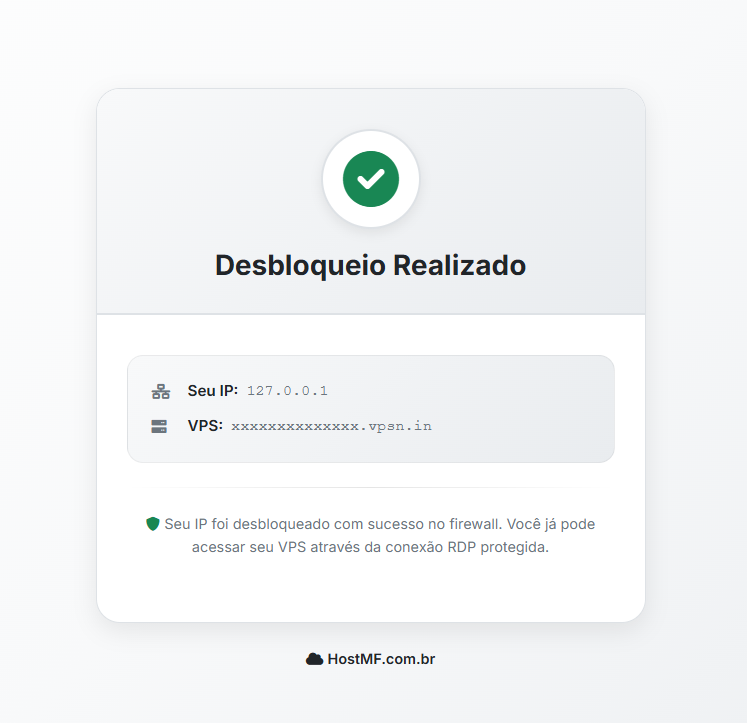
Occasionally, your internet IP may be blocked by the remote desktop access proxy of the VPS servers.
In this case, you need to unblock your access through your VPS domain. To do this, you can simply access the link `[dominio vpsn.in do vps]/unblock`, or do it through the link available in the VPS panel in the client area.
Here is the step-by-step guide to do this through the client area:
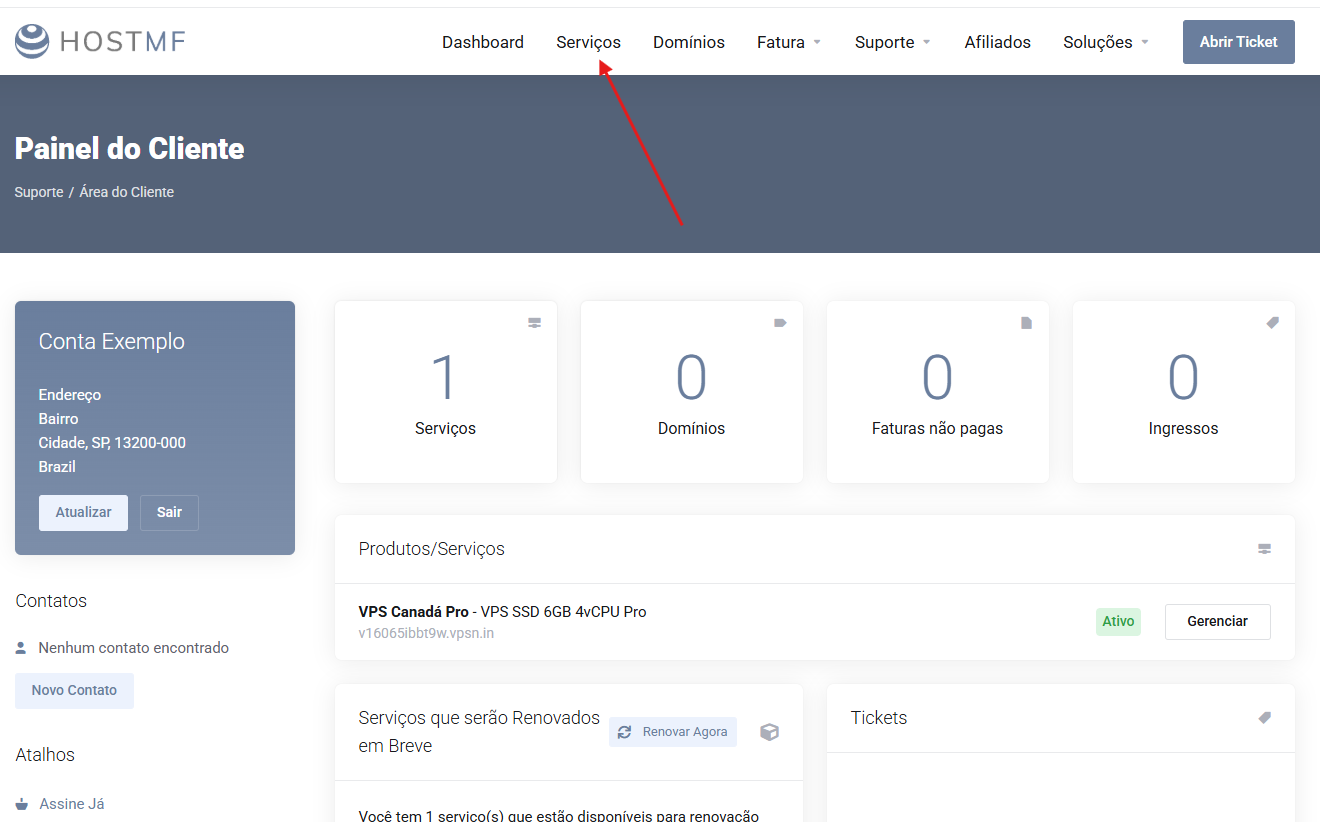
1. The first step is to access the client area.
- Client Area -> Services, as in the example below:
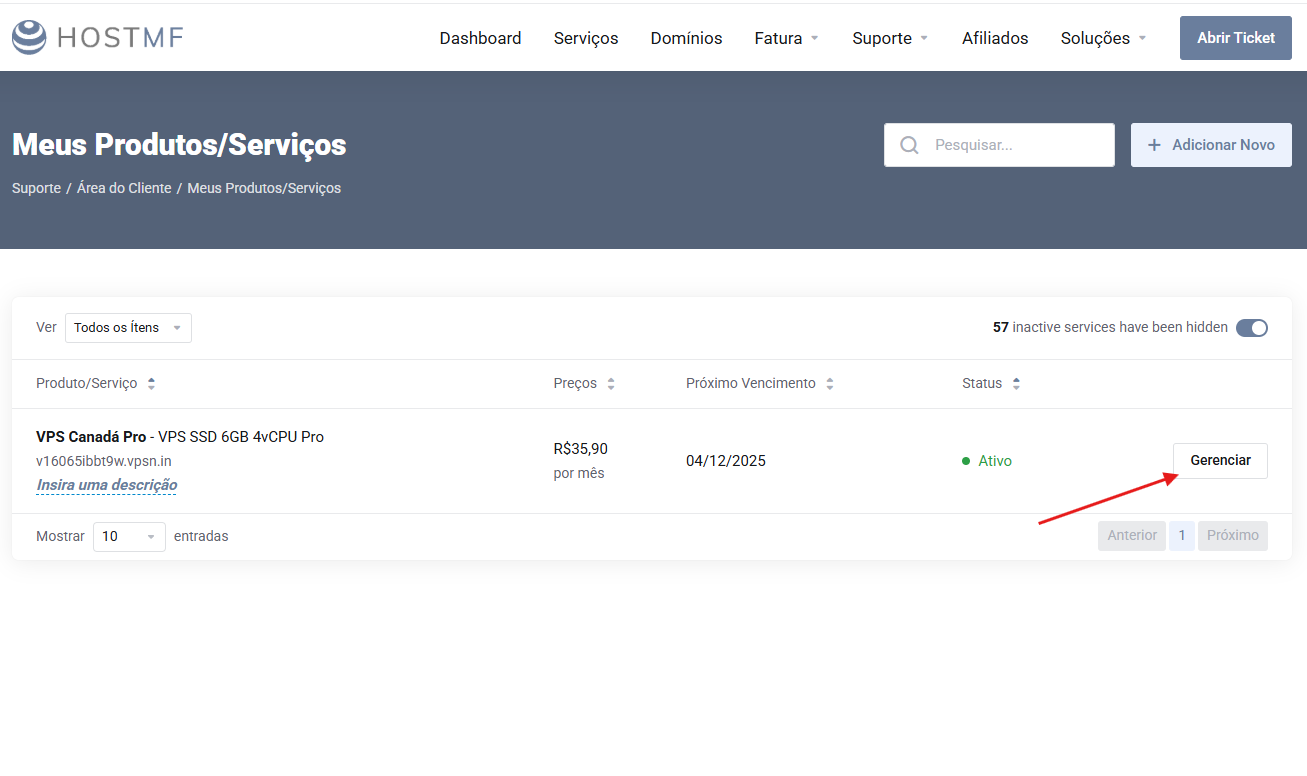
2. Locate the VPS plan you want to connect to and click "Manage".
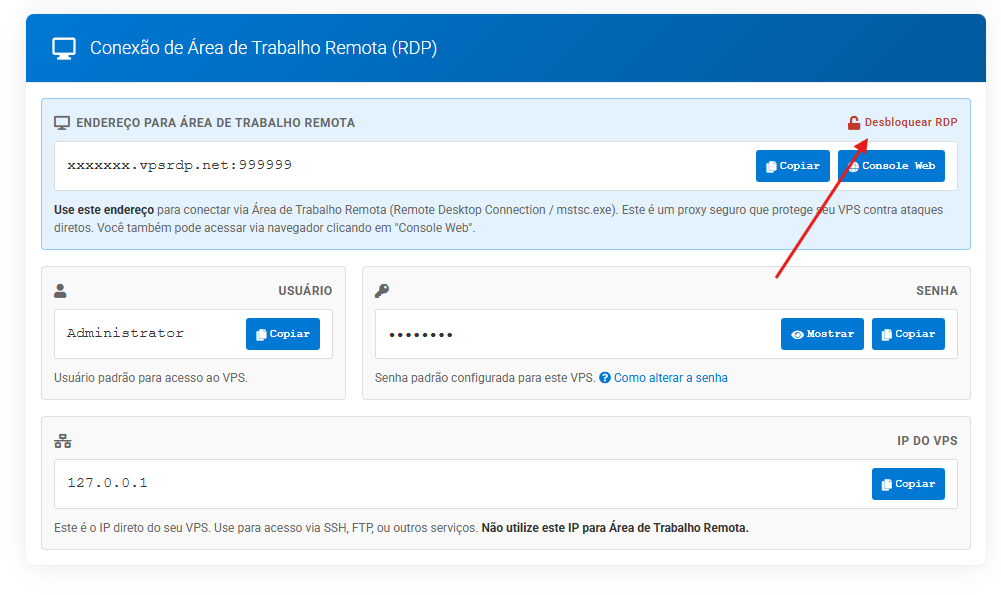
3. Locate the Connection details, copy the remote desktop address and click "Unblock RDP".
4. Your access will be unblocked for your IP.