This guide will teach you how to optimize your MetaTrader applications so they perform at their best on your Windows VPS. You will also see the implications and the reasons behind each optimization.
The first thing to understand is the reason for optimizing your multiple MetaTrader platforms on the VPS and the expected results.
You likely want to avoid negative slippage and have fast execution times, which is one of the reasons you have a VPS. But keep in mind, everything installed on the system will consume resources, and during periods of high volatility, MT4 will consume more resources than usual.
Each chart, robot, symbol, line on the charts, and notification will have an impact on the VPS resources.
Here is how to optimize your multiple MT4s on your VPS.
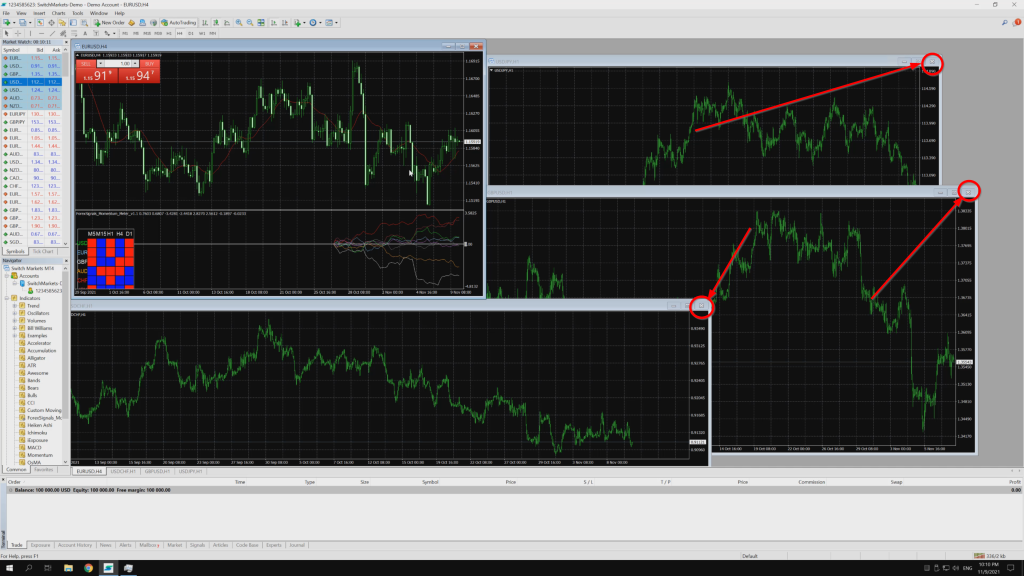
- Close all unnecessary charts on the VPS.
This can be done simply by clicking the "X" in the upper right corner of each chart.
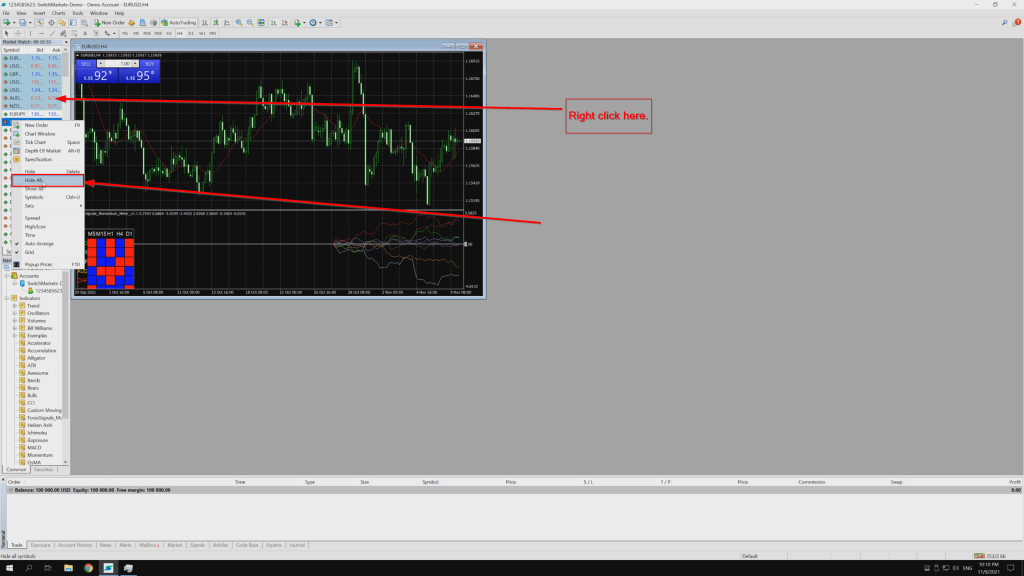
- Hide all symbols that are not in use.
Go to "Market Watch" in the left panel of MetaTrader, right-click there and select "Hide All".
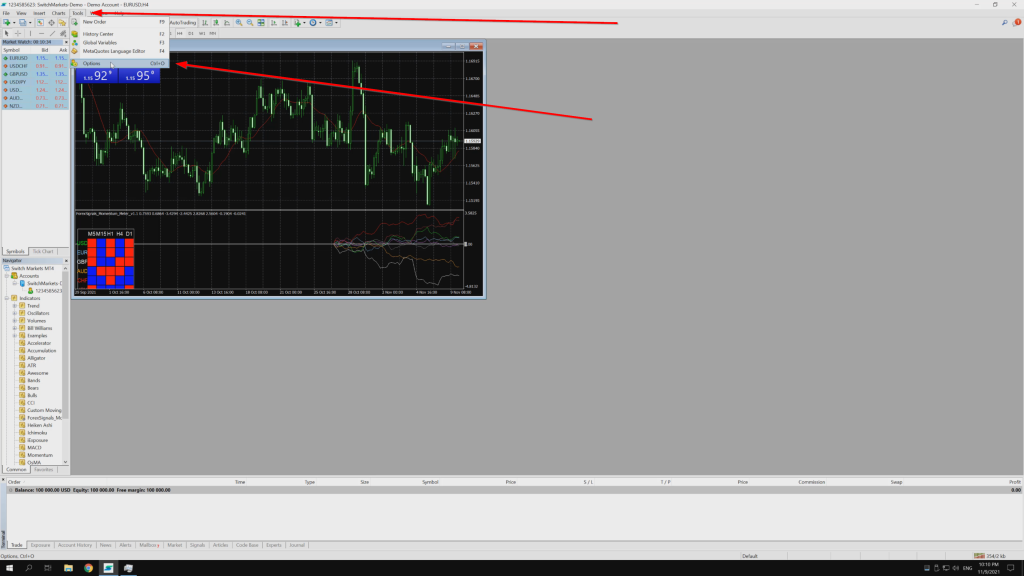
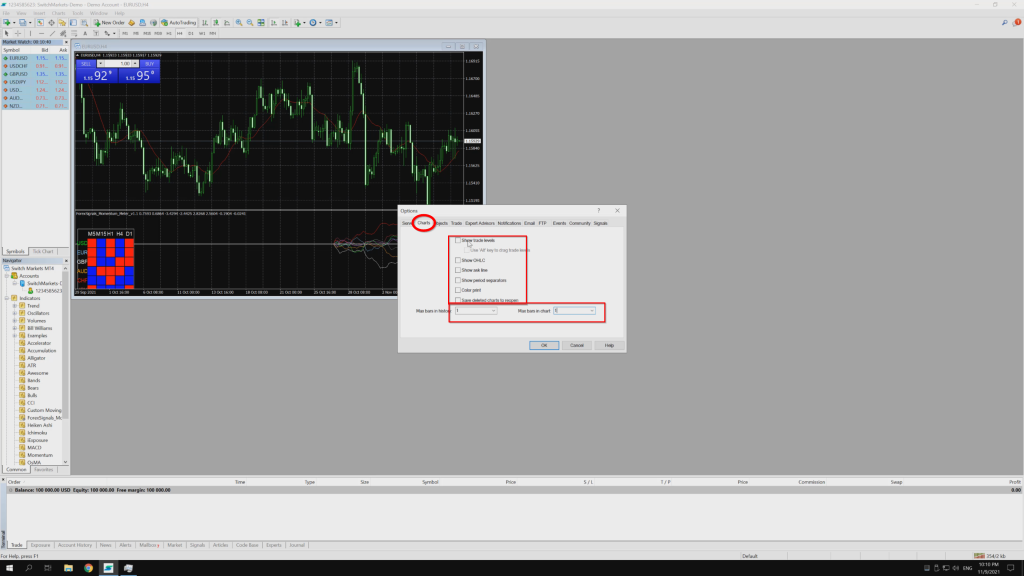
Go to Tools -> Options -> Charts. Uncheck all options, reduce the bars to 1 and press "OK". Before doing this, please check with your robot provider to see whether these settings will work with it.
-
Adjusting the chart settings.
-
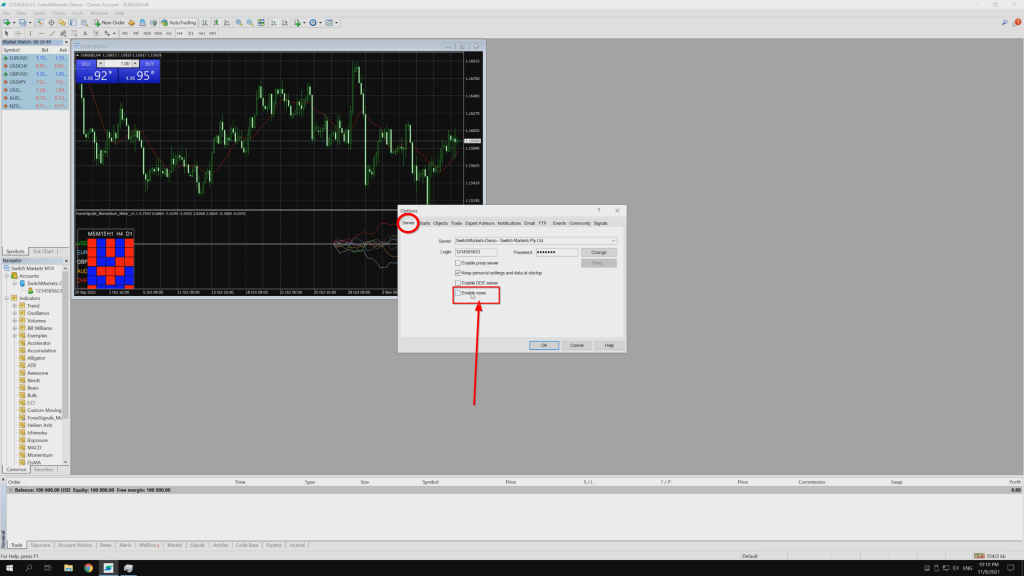
Adjusting the notification settings.
Go to Tools -> Options -> Server and uncheck "Enable News".
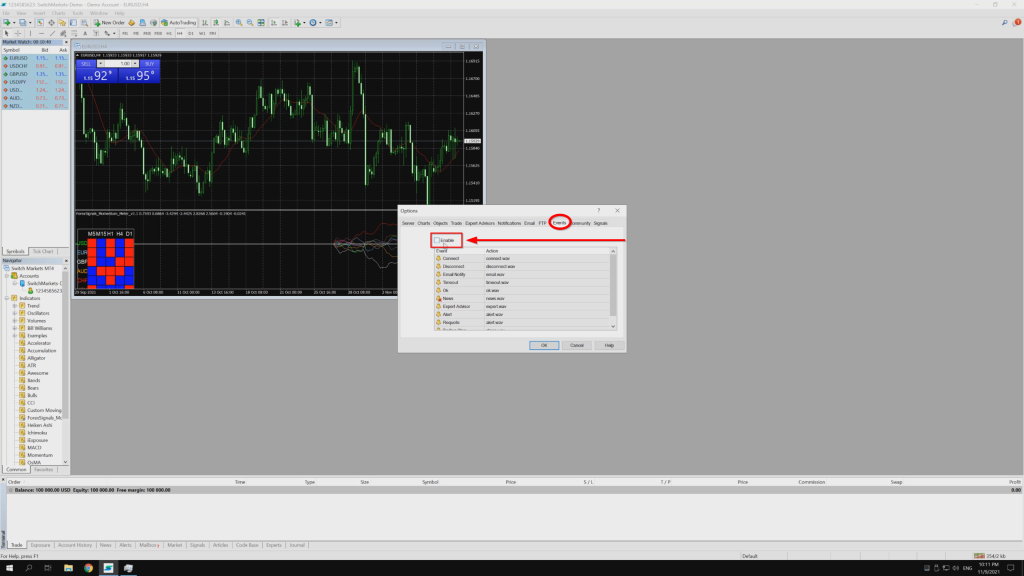
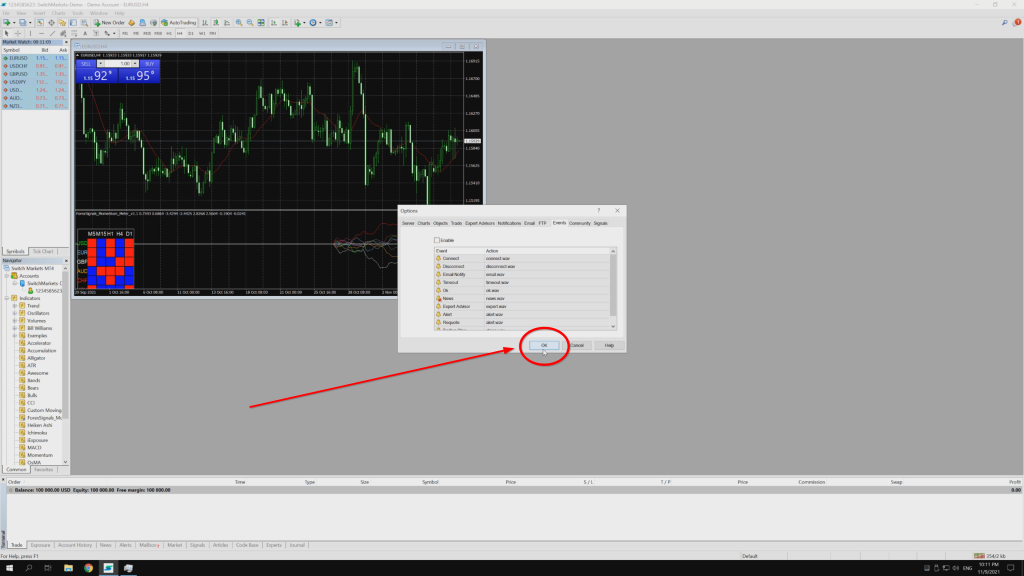
Go to the Events tab, uncheck "Enable" and press "OK".