Brazil Windows VPS: What It Is and Why Location Matters
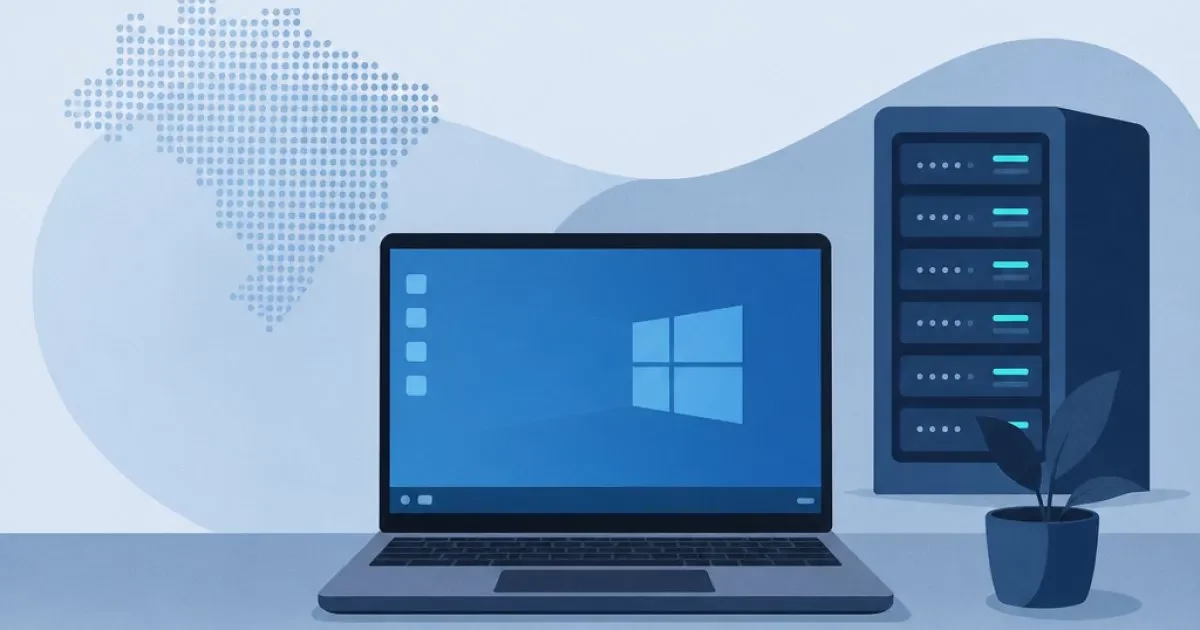
A Brazil Windows VPS is a virtual private server running Windows, hosted in a data center in Brazil. You get dedicated resources, administrator access and a Brazilian IP, without buying a physical machine.
Location matters because the distance between you and the server affects latency. If you, your team or your customers are in Brazil, a data center here tends to offer lower ping, a smoother remote desktop and more responsive systems. The VPS Brasil line from HostMF is located in Minas Gerais (a state in southeastern Brazil), has a Brazilian IP and offers support in English and Portuguese.
This is not a question of luxury. Anyone who has used a remote desktop with lag knows how tiring a cursor that falls behind can be. A nearby connection, on the other hand, makes the server feel like a computer right next to you.
Benefits of a Brazil Windows VPS
Beyond ping, a Brazil Windows VPS brings a set of practical benefits for everyday work:
- Lower latency for people accessing from Brazil, whether via RDP or web applications.
- Brazilian IP, useful for systems and services that require a national origin.
- 24/7 support in English and Portuguese, with no language barrier when something goes wrong.
- Instant activation via Pix (Brazil's instant payment system) or card: you pay and start setting up right away.
- NVMe SSD, which speeds up opening programs, databases and spreadsheets.
- Unlimited traffic, with no surprises at the end of the month.
- Anti-DDoS protection at no additional cost.
- No long-term commitment: test, adjust and change whenever you need to.
In practice, this reduces the hidden cost of lost time caused by slowness and by support in a language you do not speak.
Windows Server VPS: Available Versions and Licensing
A Windows Server VPS can run different versions, and choosing the right one avoids compatibility headaches. On the VPS Windows page from HostMF you can choose Windows 10, Windows Server 2022, 2019, 2016 or 2012 R2.
The good part: you can reinstall and switch the version as many times as you want, at no charge. Chose the wrong one? Switch and move on.
How to Choose the Version for Each Software
- Windows Server 2022 or 2019: usually a good choice for current systems, modern ASP.NET and new projects.
- Windows Server 2016 or 2012 R2: useful when a legacy application requires a specific version.
- Windows 10: makes sense for those who want an environment similar to a home desktop, for example for programs that do not work well with Server editions.
The general rule: check the version recommended by your software vendor and start with that. If the software is new and has no specific requirements, the latest version is usually the better bet.
What to Use It For: Comparison by Project Type
The same server can handle very different workloads, but each one puts pressure on a different resource. This table helps you see that.
| Use | Resource that matters most | Point of attention |
|---|---|---|
| RDP for a team | RAM and vCPU, depending on the number of users | Each simultaneous user consumes memory |
| MetaTrader and robots (EAs) | Stable CPU and a good connection | Distance to the broker's server |
| ASP.NET and websites | RAM and fast disk | A database on the same server increases the load |
| ERP and legacy systems | RAM and Windows version | Compatibility with the required version |
| Excel and heavy spreadsheets | CPU and RAM | Spreadsheets with many formulas need extra headroom |
RDP and Remote Desktop for Teams
RDP (Remote Desktop) lets you access the server's Windows from anywhere, using a PC, Mac or phone. With the server in Brazil, low ping makes typing, dragging windows and opening files feel much more natural.
The main thing to watch is the number of simultaneous users. One person alone needs little; a whole team connected at the same time needs more RAM and vCPU. If that is your case, take a look at the VPS for Remote Desktop, designed for this kind of 24/7 access.
MetaTrader and Robots (EAs): When Brazil Works and When London Is Better
For trading, the right question is not "where is my server?" but "where is my broker's server?" Ideally, the VPS should be as close to it as possible.
If your broker runs servers in Brazil, a VPS here is usually the best option. If it uses servers in London, as many Forex brokers do, hosting there can help reduce order response time. HostMF offers the London Forex VPS precisely for this scenario, with MetaTrader 4/5 and EAs running 24/7.
Tip: ask your broker where its trading server is located before you sign up. This prevents paying for proximity that does not help you.
ASP.NET, Business Systems and Excel in the Cloud
.NET applications, ERPs and many business systems were built for Windows. Running them on Windows Server removes workarounds and compatibility problems.
What to watch: RAM for the system and the database, and CPU when there are heavy calculations. Large Excel spreadsheets, for example, benefit from more memory and an NVMe SSD, which opens and saves files faster. Keeping everything in the cloud also lets your team access the same environment from anywhere.
How to Choose the Plan: RAM, vCPU and Disk
Size your plan by real workload, not by fear. Add up what Windows uses on its own, what your software needs and how many people will be connected at the same time. Then add some headroom.
The VPS Brasil line has these starting tiers (prices in Brazilian reais, R$):
| Plan | Resources | Starting price |
|---|---|---|
| VPS Brasil | 1GB 1vCPU | R$69.99/month |
| VPS Brasil | 2GB 2vCPU | R$96.99/month |
| VPS Brasil | 4GB 4vCPU | R$149.99/month |
| VPS Brasil | 6GB 6vCPU | R$189.99/month |
| VPS Brasil | 8GB 8vCPU | R$219.99/month |
| VPS Brasil | 12GB 8vCPU | R$259.99/month |
| VPS Brasil | 16GB 8vCPU | R$319.99/month |
As a starting point, the VPS Brasil 2GB 2vCPU usually covers light projects, while the VPS Brasil 4GB 4vCPU gives more room for several connected people or more demanding systems. These are starting points, not rules: test with your own workload.
Tips for Starting Small and Scaling Later
- Choose the plan that covers your current usage with moderate headroom.
- Monitor RAM and CPU in Task Manager during the first few weeks.
- If memory regularly runs close to the limit, move up a plan.
- Remember that having no long-term commitment lets you adjust without being tied down.
Cheap Windows VPS: Where You Can Save Without Losing Stability
If you are looking for a cheap Windows VPS, you need to weigh price against proximity. The VPS Brasil line prioritizes a national data center and low ping. The entry options, starting at R$39.90/month, are an alternative for those who want to save and accept a different balance between cost and location.
To explore that range, see the Cheap Windows VPS from HostMF, with Windows Server or Windows 10, RDP access, SSD, Anti-DDoS and instant activation.
What not to cut, on any plan:
- NVMe SSD: a fast disk changes the experience of any Windows system.
- Anti-DDoS: protects the server from attacks that could take it down.
- Support in English and Portuguese: it makes a difference when something goes wrong.
Saving money means choosing the right size, not the weakest server.
Checklist Before You Sign Up
Before you commit, check:
- Location: are your users, customers or broker close to the data center?
- Windows version: is it compatible with your software?
- Resources: do RAM, vCPU and disk cover your workload with some headroom?
- Backup: do you have a plan to copy your data regularly?
- Security: strong password, firewall and Anti-DDoS enabled.
- Support: 24/7 support in English and Portuguese.
- Terms: 7-day guarantee and no long-term commitment.
If you want to understand the basics before deciding, read about what a Windows VPS is, what it is for and how to access it.
Conclusion: Choose Your Plan and Start Today
The criteria are simple: a server close to the people who use it, a compatible Windows version and resources sized to the workload. Start with a lean plan, track usage and upgrade when you need to.
If you want a Windows VPS server in Brazil with instant activation via Pix (Brazil's instant payment system) or card, no long-term commitment and support in English and Portuguese, explore the HostMF plans and pick the one that fits your project.